Added in 1.16.0Experimental
Raid comms.
How raid comms works, for each part someone plays in a raid: setting it up, leading a squad, broadcasting, and sitting in a squad.
What it is
Raid comms is for big groups that split into squads, like a raid. Everyone sits in their own squad’s voice channel and talks there as normal. On top of that:
- Squad Leads, the raid leader included, stay with their own squad but also hear Command, and can talk to it with the Command key.
- Command is the leads’ channel. It’s usually empty: the leads hear each other through it from their own squads, and only join it to talk without their squad hearing.
- Broadcast lets someone talk to every voice channel in the raid at once, to call a pull, say.
A raid is one category: its voice channels, and those in any categories inside it. Here’s the example this page uses, a WoW category with four voice channels:
WoW              ← raid comms on
Raid lead      ← Command, the leads’ channel
Group 1        ← Alice, the raid leader, leads this squad
Group 2        ← Bob leads this squad
Heals          ← Cara leads this squad
Setting up a raid
You need the Manage raid comms permission on the category (Moderators and Admins have it to start with).
- Right-click the category in the channel list and choose Raid comms…
- Set Raid comms to On.
- Pick the Command channel: any voice channel in the category, or Create a new channel….
- Under Squad Leads, pick each squad’s lead and click Add. Add the raid leader too, so they hear Command from their own squad.
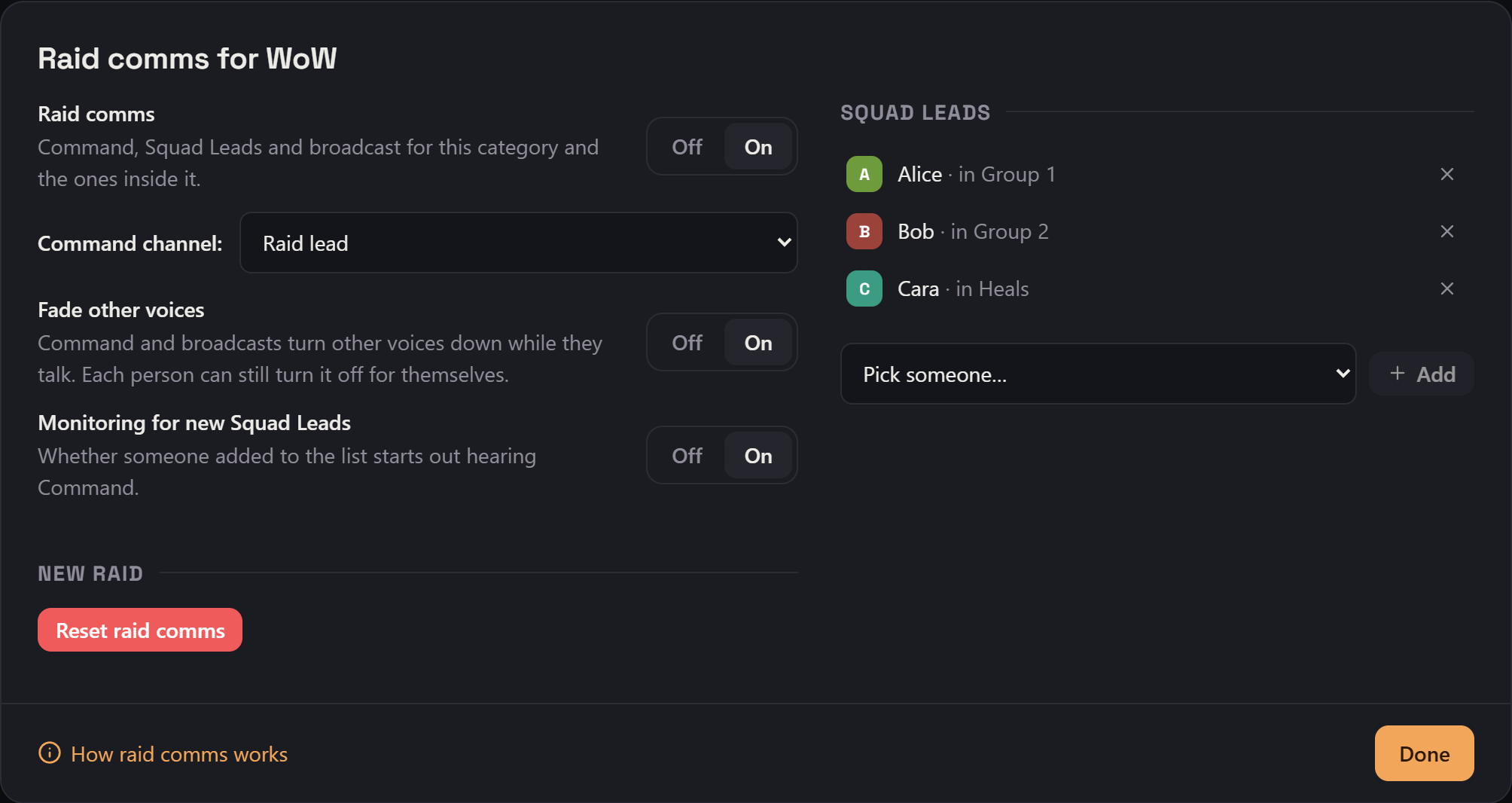
Two more switches:
- Fade other voices: Command and broadcasts turn other voices down while they talk, so calls cut through.
- Monitoring for new Squad Leads: whether someone you add starts out hearing Command.
After the raid, Reset raid comms takes everyone off the Squad Lead list, ready for next time. Command and the switches stay as they are.
Squad Leads
Hearing Command
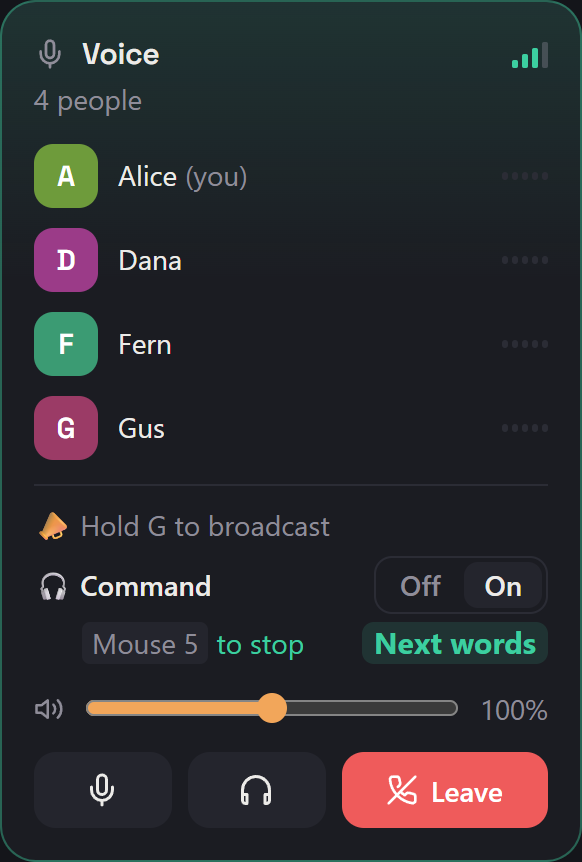
As a Squad Lead, join your squad’s voice channel as usual. You hear Command on top of your squad, and while Command talks your squad fades down a little.
Your Voice card gets a 🎧 Command line. Set it to Off to stop hearing Command. The line under it says what your Command key will do: here, Next words means the next thing Alice says goes to Command too.
Talking to Command
First set a Command key in Settings → Raid comms. Your squad always hears you too. Talking to Command adds Command, it never takes your squad away.
| Do this | What happens | Voice card shows |
|---|---|---|
| Tap Mouse 5 | The next thing you say goes to Command too. Tap again to take it back. | Next words |
| Double-tap Mouse 5 | Everything you say goes to Command until you tap again. | Locked |
| Hold Mouse 5 | Talks to Command while you hold it, whatever your input mode. | Holding |
Mouse 5 stands for whatever key or mouse button you chose. Talking to Command turns hearing it back on if you had it off. If you tap and then say nothing for 10 seconds, it goes back to your squad only.
What Command says back only reaches Command and the Squad Leads. Pass on to your squad what they need.
Talking without your squad
Need a word with the other leads that your squad shouldn’t hear? Join Command itself, like any voice channel. The leads hear you there as usual, and your squad doesn’t. Go back to your squad’s channel when you’re done.
Broadcasting
With the Broadcast permission (Moderators and Admins have it to start with), hold the broadcast key to talk to every voice channel in the raid that has people in it, up to 10. Your own channel hears you too. It’s one way: you don’t hear the other channels back.
The raid leader usually broadcasts from their own squad’s channel, so their squad hears the call like everyone else.
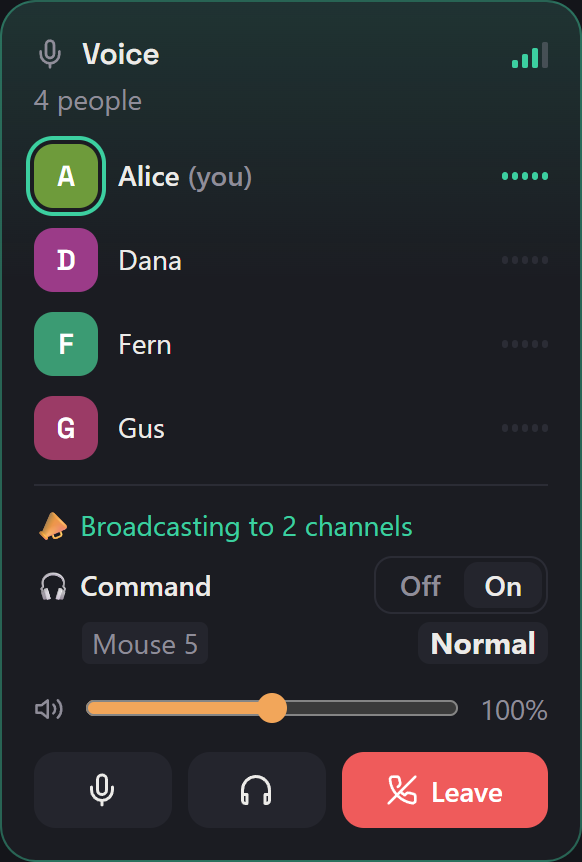
Set the key in Settings → Raid comms. Your Voice card then shows 📣 Hold G to broadcast (with your key). Hover it to see which channels it reaches.
While you hold the key, the line turns teal and says how many channels you’re reaching, and they’re outlined in the channel list.
In a squad
Nothing to set up: join your squad’s voice channel. You’ll notice:
- Broadcasts. When someone broadcasts, you hear a short click, and your Voice card shows a line like “📣 Alice · from Group 1”. The rest of your channel fades down while they talk.
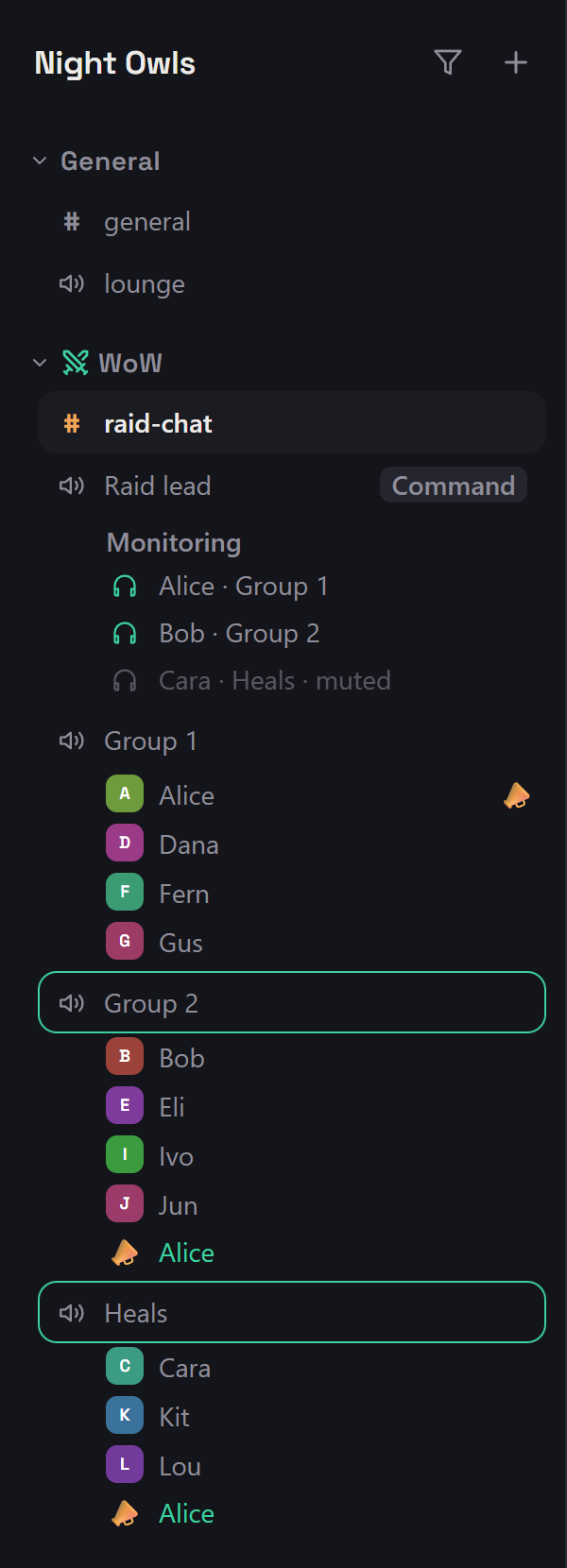
- In the channel list, crossed swords mark a raid category. Someone broadcasting shows with 📣 in every channel they reach.
- Command has a Command label. The Squad Leads listening in show under it, below Monitoring, with the channel they’re in. A greyed one has Command turned off.
Need to talk to Command? If you’re not a Squad Lead, join the Command channel itself. Every lead hears you there.
Too loud? Right-click the person in the channel list and turn their volume down. That turns their broadcasts down too.
Your settings
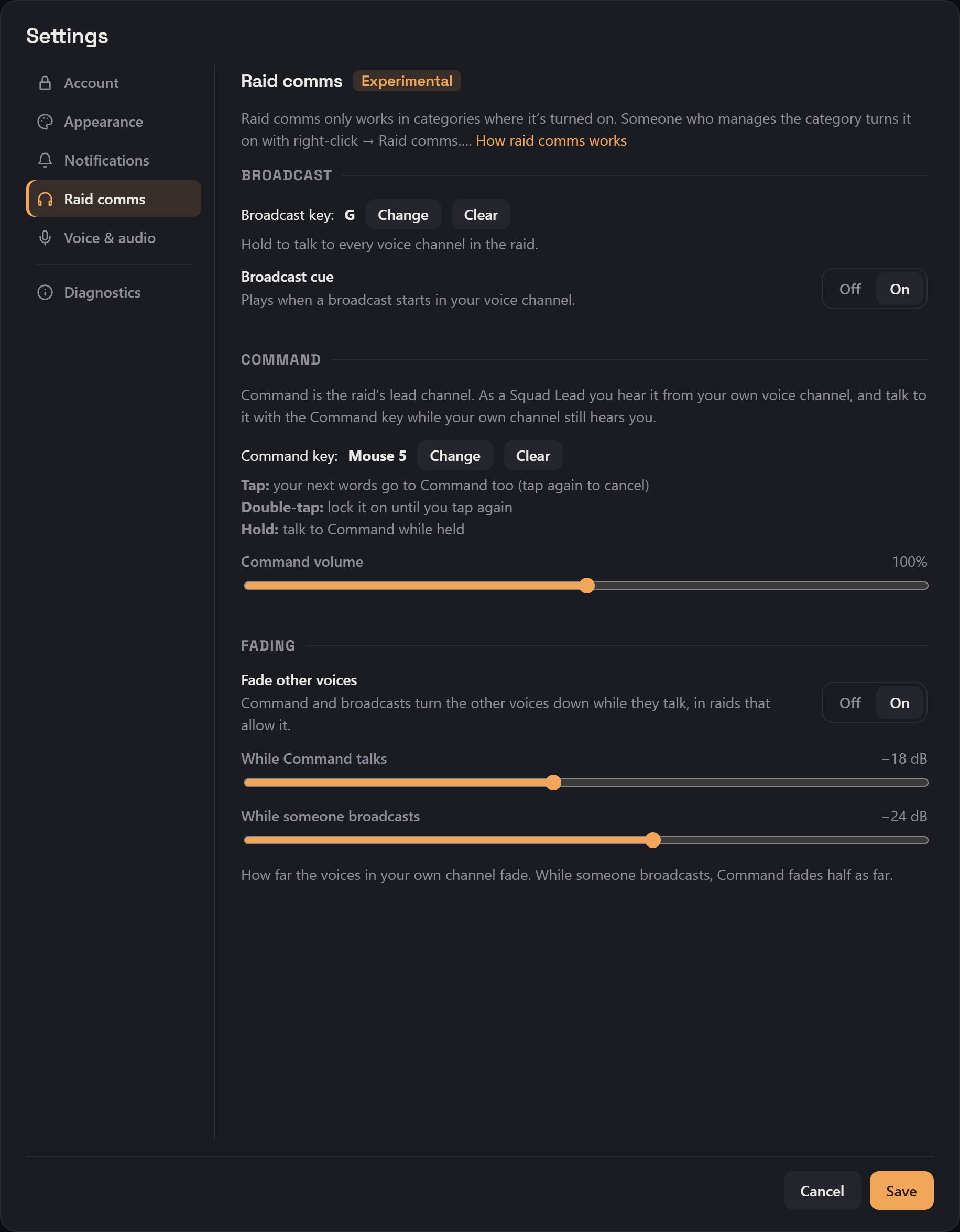
All in Settings → Raid comms in the Parley app, and they apply straight away:
- Broadcast key (if you can broadcast) and Command key (if you’re a Squad Lead). Each can be any key or mouse button, but not your push-to-talk key or each other.
- Broadcast cue: the click when a broadcast starts.
- Command volume, for Squad Leads.
- Fading: whether Command and broadcasts fade the other voices for you, and how far.
When something doesn’t work
The Voice card, or a message at the bottom of the window, says what’s wrong:
- Broadcast only works in categories with raid comms on
- Ask someone who manages the category to turn raid comms on for it.
- Nobody to broadcast to
- The other voice channels in the raid are empty.
- Unmute to broadcast · Unmute to talk to Command
- You’re muted or deafened. Unmute, then try again.
- Server-muted
- Someone muted you on the server. You can listen, but not talk.
- Command isn’t connected yet · Couldn’t connect to Command
- Wait a moment: it keeps trying. Your squad still hears you.
- This raid has no Command channel
- Someone who manages the raid needs to pick one in Raid comms….
- You’re not a Squad Lead in this raid
- Ask whoever runs the raid to add you, or the raid was reset.
- No Raid comms in Settings
- The server doesn’t have raid comms turned on (Server settings → Experimental).