Added in 1.0.0
Your Parley identity.
Parley has no accounts and no passwords. Your identity is a digital key that the Parley app makes on your computer and keeps there. It proves it’s you to every Parley server you join, and no server or company ever holds it.
Making your identity
- Install Parley and open it. It asks for a name: servers use it when you join, and if it’s taken on one, you pick another name just for that server.
- Back it up. Your identity only lives on this computer, so Parley makes a backup: 24 words that bring it back if the computer is lost. Choose one of the two ways below.
Restoring on a new computer
Install Parley, open it and choose I already have an identity: restore it. You come back as the same person, and servers you’ve joined let you straight back in without an invite code.
Your account ID
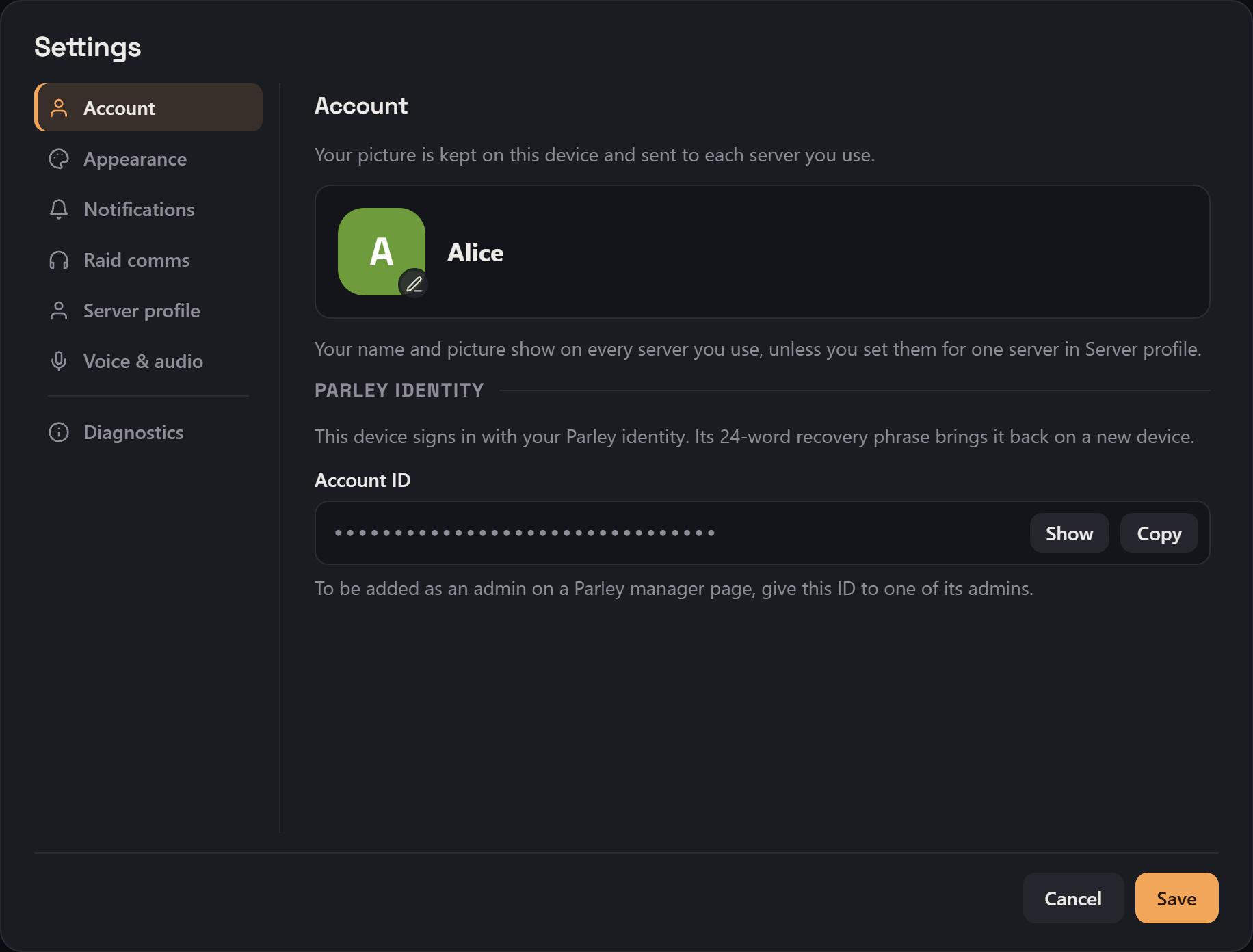
Your identity has an account ID: 32 letters and digits, the same on every computer you restore it on. To find it, open Settings → Account; it’s under Parley identity, hidden until you click Show. Copy copies it without showing it. Give it to an admin who asks for it, for example to be added as an admin on a Parley manager page. It isn’t secret, and it can’t be used to sign in as you.
Keeping it safe
- Anyone who has your 24 words can be you. Don’t share them, and don’t type them into a website. Parley only asks for them when you restore.
- Each computer gets its own keys. Restoring on a new computer doesn’t stop the old one from working.
- Losing both the computer and the words means the identity is gone. You’d make a new one and ask to be invited again.