Added in 1.26.0
GIFs from Klipy.
Search for a GIF from the emoji picker and send it in one click. GIFs come from Klipy, a free GIF library. Each server turns them on with its own Klipy key.
Sending a GIF
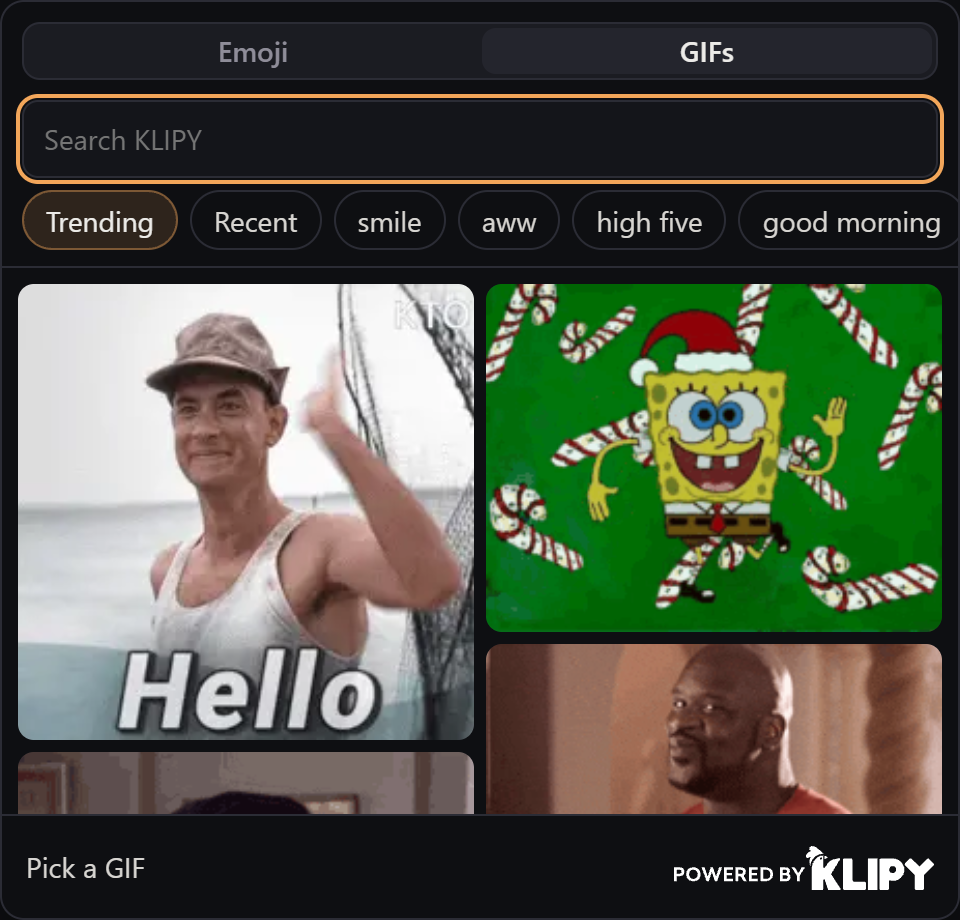
Click the smiley in the message box, then GIFs at the top of the picker. The tab is there when the server has GIFs on and you can send messages in the channel.
- With nothing typed you see what’s trending. The row above it has Recent, the GIFs you sent lately, and Klipy’s categories: click one to search for it.
- Type in Search KLIPY to search. What you typed on the Emoji tab carries over, so switching tabs searches for it straight away.
- Click a GIF (or move to it with the arrow keys and press Enter) to send it at once, as a message of its own. Anything you were writing stays in the message box.
- Shift-click sends it and keeps the picker open, to send another.
- Ctrl-click (Cmd-click on a Mac) puts the GIF into the message box instead, so you can add words or wrap it in a spoiler,
||like this||, before sending.
The picker opens on the tab you used last.
GIFs in messages
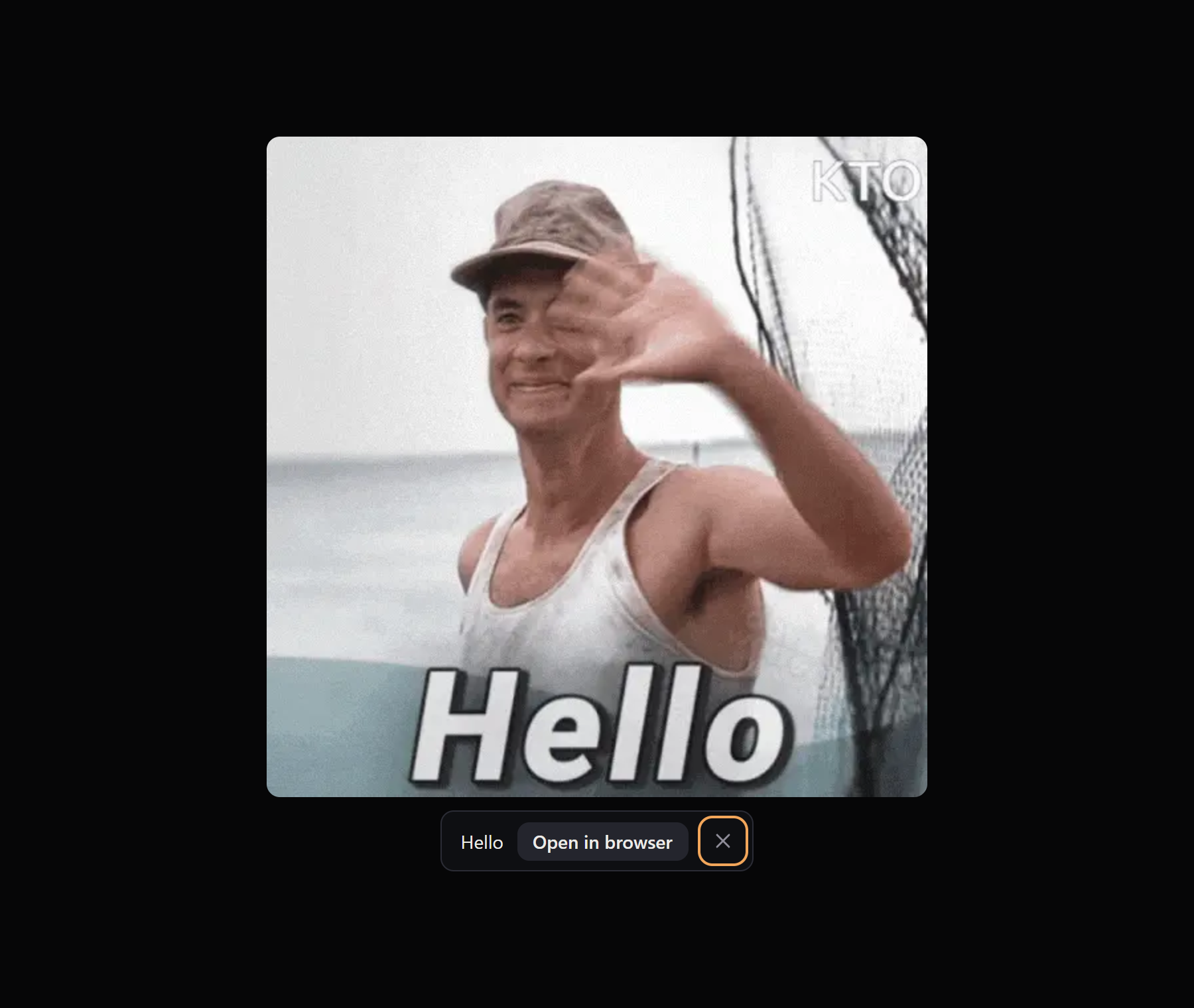
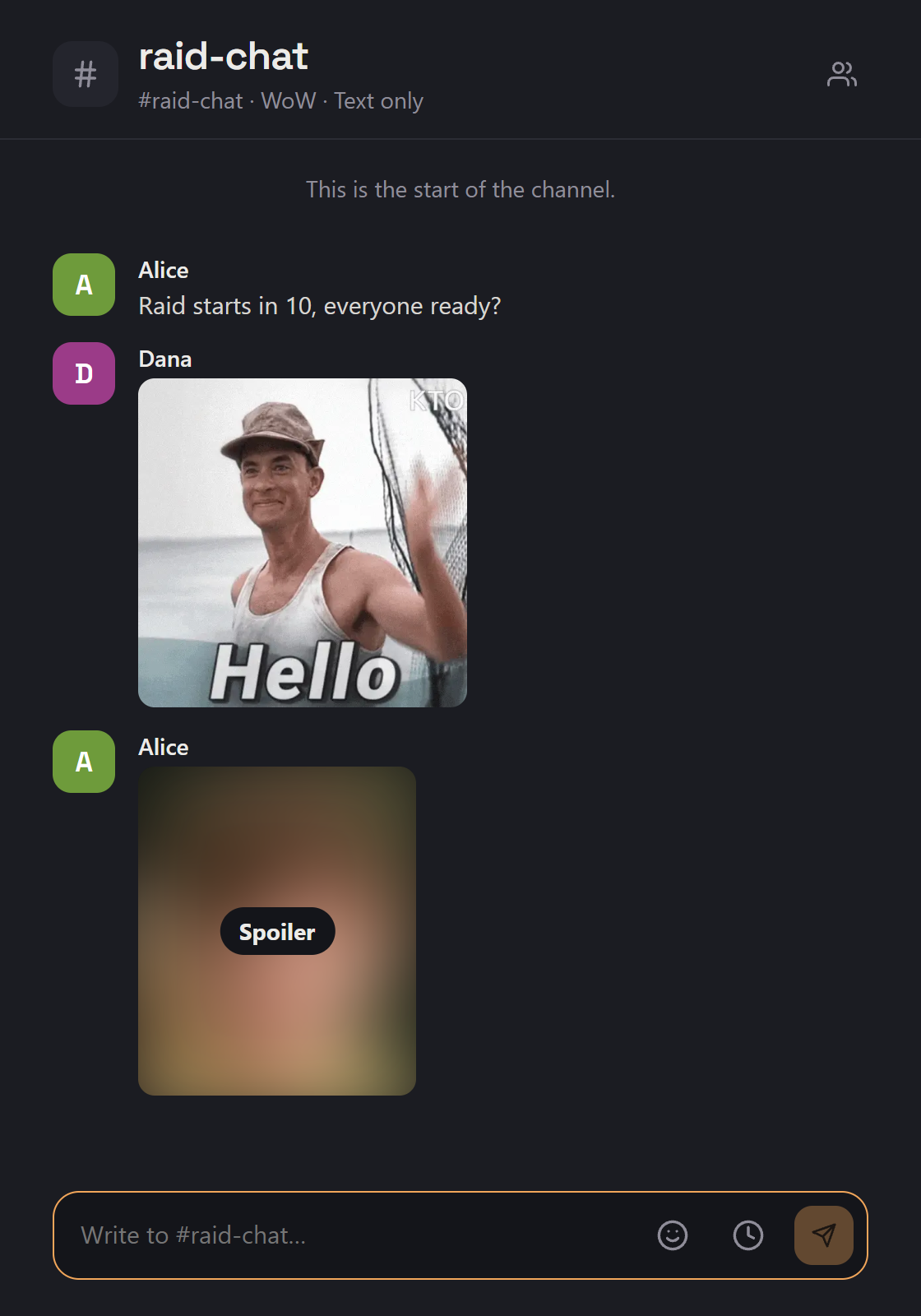
A message that’s just a GIF shows the GIF, in a box the same height every time so the chat doesn’t jump while it loads. Hover over it for its title. Click it to see it bigger; from there, Open in browser opens it in your browser (so does a middle click on the GIF). Esc or a click outside closes it. Right-click the message for Copy GIF link.
A GIF sent as a spoiler is blurred until you click it. In search results, a GIF message shows as its title with a GIF badge.
Two settings in Settings → Appearance → GIFs change how GIFs show for you, on every server:
- Show GIFs: Off shows GIFs as links, and Parley doesn’t download them.
- Play GIFs: Always, or On hover, which shows the first frame until you point at it. It starts on On hover if your system asks for less motion.
GIFs stop moving while Parley isn’t the window you’re using, and start again when you come back to it.
A GIF is sent as a link, so anyone on an older Parley sees it as a link to the GIF. On a server with GIFs off, GIFs show as links too.
Turning GIFs on
GIFs are off on a new server. Someone with Manage server turns them on:
- Get a Klipy key (see Getting a Klipy key).
- Open Server settings and go to Plugins.
- Under Built in, find Klipy GIFs and click Configure.
- Paste the key into Klipy key, pick a Content filter, and click Save. Parley asks Klipy whether the key works before saving it.
- Back on the plugin list, turn Klipy GIFs On. It changes for everyone straight away.
If you run the server yourself, you can give it the key with the KLIPY_API_KEY setting instead. The server then uses it, and the plugin page shows no key field: change the setting to change the key. The content filter is still set on the page, and GIFs still need turning on.
The Content filter decides how much Klipy hides: GIFs with sexual content, violence, profanity or drugs. High hides the most and is where it starts; Off hides nothing.
Turning GIFs off hides the GIFs tab and shows GIFs already sent as links. The key and the filter are kept for when you turn them back on.
Getting a Klipy key
- Sign up at Klipy’s Partner Panel and make an app. It’s free.
- Copy the app’s key.
- Leave ads off. Parley refuses a key with ads turned on.
- Ask for Production access in the Partner Panel. A new key is in Testing mode, which allows only 100 searches an hour for the whole server. Production access is free and has no limit.
Members who can send messages get the key, so their Parley can search Klipy itself. That means someone could copy it and use it outside Parley. If that happens, make a new key in the Partner Panel and save it on the Klipy GIFs page: it takes over at once.
Who can send GIFs
Sending a GIF needs the Send GIFs permission as well as Send messages. Everyone has it to start with. To stop a role sending GIFs, take it away from the role in Server settings → Roles, or in one category or channel with Permissions… on it. Where someone can’t send GIFs, their emoji picker has no GIFs tab, and a GIF they paste isn’t sent.
What Klipy sees
Parley searches Klipy and loads GIFs straight from your computer, so Klipy sees your IP address, what you search for and which GIFs you load. It doesn’t see your name, your username, your messages or which channel you’re in. Instead of who you are, it gets a code that stays the same for you on this server, so your recent GIFs work, and is different on every server.
Turn Show GIFs off if you don’t want Parley loading GIFs from Klipy at all.